Surface Pro 6

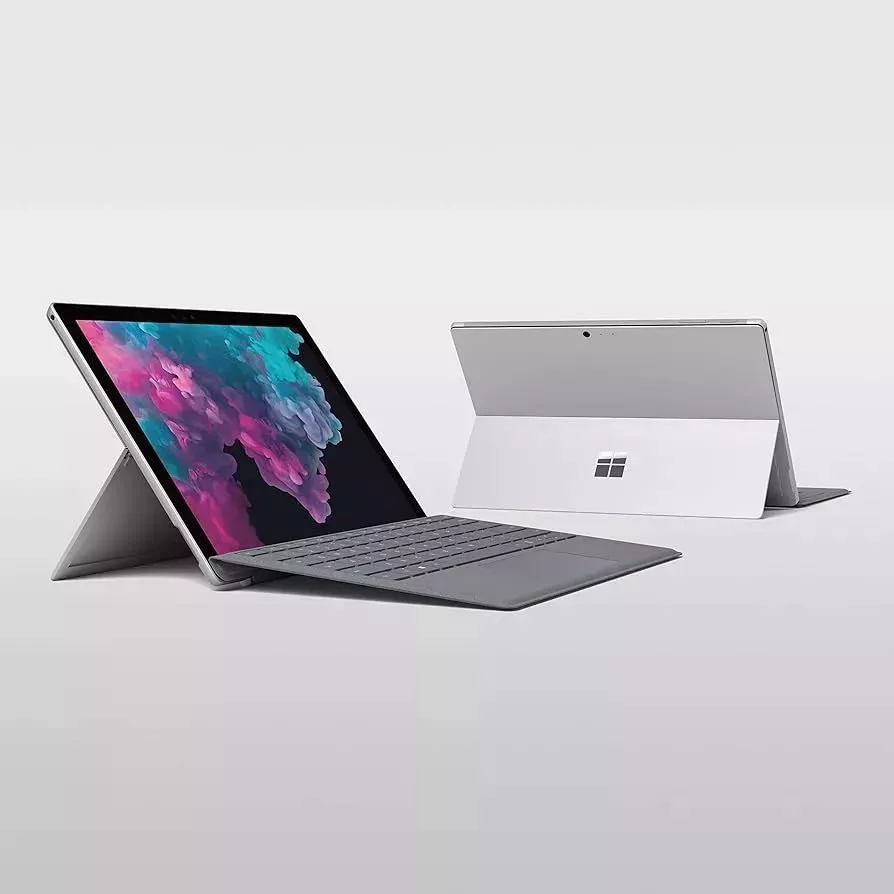
Microsoft Surface Pro 6 Work how and where you like Surface Pro 6 is slim and lightweight, so it's always to hand wherever you need it. The Surface Pro 6's kickstand can be adjusted to suit your needs – on a plane, at the beach, or working in the studio. Laptop Mode Use Surface Pro 6 in laptop mode by opening the built-in kickstand and adding a detachable keyboard (Surface Pro Signature Type Cover). Studio Mode To use Surface Pro 6 in Studio Mode, fold the stand back fully – now you have the perfect angle for writing and drawing with optional accessories such as Surface Pen and Surface Dial. Tablet Mode With the stand folded in, Surface Pro 6 is a powerful tablet, light and mobile. Use it with the Surface Pen to jot down notes, record an idea, or draw. Or simply relax at the end of the day with your favourite film. Outstanding Power and Performance Surface Pro 6 is light enough to take to your next meeting, yet its 8th Gen Intel Core processor provides the power needed to run any desktop software you need for your work. Collaborate on Video Calls The Skype HD front camera in Surface Pro 6 is ideal for meetings and video calls. Get things done faster with touch input The high-resolution 12.3" PixelSenseTM display of the Surface Pro 6 brings your ideas to life and responds instantly to touch input.

Microsoft Surface Pro 6 Work how and where you like Surface Pro 6 is slim and lightweight, so it's always to hand wherever you need it. The Surface Pro 6's kickstand can be adjusted to suit your needs – on a plane, at the beach, or working in the studio. Laptop Mode Use Surface Pro 6 in laptop mode by opening the built-in kickstand and adding a detachable keyboard (Surface Pro Signature Type Cover). Studio Mode To use Surface Pro 6 in Studio Mode, fold the stand back fully – now you have the perfect angle for writing and drawing with optional accessories such as Surface Pen and Surface Dial. Tablet Mode With the stand folded in, Surface Pro 6 is a powerful tablet, light and mobile. Use it with the Surface Pen to jot down notes, record an idea, or draw. Or simply relax at the end of the day with your favourite film. Outstanding Power and Performance Surface Pro 6 is light enough to take to your next meeting, yet its 8th Gen Intel Core processor provides the power needed to run any desktop software you need for your work. Collaborate on Video Calls The Skype HD front camera in Surface Pro 6 is ideal for meetings and video calls. Get things done faster with touch input The high-resolution 12.3" PixelSenseTM display of the Surface Pro 6 brings your ideas to life and responds instantly to touch input.

Microsoft Surface Pro 6 Work how and where you like Surface Pro 6 is slim and lightweight, so it's always to hand wherever you need it. The Surface Pro 6's kickstand can be adjusted to suit your needs – on a plane, at the beach, or working in the studio. Laptop Mode Use Surface Pro 6 in laptop mode by opening the built-in kickstand and adding a detachable keyboard (Surface Pro Signature Type Cover). Studio Mode To use Surface Pro 6 in Studio Mode, fold the stand back fully – now you have the perfect angle for writing and drawing with optional accessories such as Surface Pen and Surface Dial. Tablet Mode With the stand folded in, Surface Pro 6 is a powerful tablet, light and mobile. Use it with the Surface Pen to jot down notes, record an idea, or draw. Or simply relax at the end of the day with your favourite film. Outstanding Power and Performance Surface Pro 6 is light enough to take to your next meeting, yet its 8th Gen Intel Core processor provides the power needed to run any desktop software you need for your work. Collaborate on Video Calls The Skype HD front camera in Surface Pro 6 is ideal for meetings and video calls. Get things done faster with touch input The high-resolution 12.3" PixelSenseTM display of the Surface Pro 6 brings your ideas to life and responds instantly to touch input.